
WordPress · WCAG 2.2 Image Accessibility
Better image descriptions,
built for accessibility.
A11Y helps WordPress teams create meaningful text alternatives for images — from simple photos to complex charts and diagrams.
WCAG 2.2 Context-aware Human-reviewable
Generic AI
"Quarterly revenue bar chart"
↳ Too vague
A11Y — Short Alt
"Bar chart showing quarterly revenue, with Q3 as the highest-performing quarter."
A11Y — Detailed Description
"Q1: 12%, Q2: 9%, Q3: 17%, Q4: 14%."
Complex images may need both a concise text alternative and a more detailed description.
Image Accessibility Is Contextual
Not every image should be described the same way.
Good alternative text depends on why the image is there and what information it communicates.
Describe the essential information
Photos, illustrations, and other meaningful images should communicate the information users need from the image.
Example
"Customer using the mobile banking app to transfer money."Describe the action, not the appearance
When an image works as a button or link, its accessible name should communicate what the action does.
Use this
"Search"not "Magnifying glass icon"
Sometimes the right alt text is empty
Purely decorative images should not create unnecessary noise for screen reader users.
Example
alt=""Provide the detail somewhere users can access it
Charts, graphs, diagrams, and data-heavy images may require a short alternative plus a detailed text description.
Short alt
"Quarterly revenue bar chart. Detailed data follows."Detailed description
"Q1 12%, Q2 9%, Q3 17%, Q4 14%."WCAG 2.2 · 1.1.1 Non-text Content
The goal isn't more text.
It's equivalent information.
WCAG 2.2 requires non-text content to have a text alternative that serves an equivalent purpose. The right approach depends on the type and purpose of the image.
Meaningful
Communicate what matters
Alternative text should communicate the information or purpose of meaningful images.
Contextual
Context changes the description
The same image may need different alternative text depending on how it is used on the page.
Appropriate
More detail isn't always better
Decorative images may need empty alt text, while complex images may require additional detailed descriptions.
Based on WCAG 2.2 Success Criterion 1.1.1 — Non-text Content ↗
The Difference
A caption isn't always
an accessible description.
Generic AI can identify what an image is. Accessibility often requires understanding what information the image is communicating.
Generic Description
Identifies the image
Contextual Description
Captures key information
When an image contains complex information
Program details and schedule are provided as an accessible text description. Makes complex information available.
How A11Y Helps
From image analysis to human review.
01 — AI Generation
Generate context-aware descriptions
A11Y analyzes image content and helps create meaningful text alternatives, applying image accessibility guidance during generation.
02 — Complex Images
Handle information-rich images
Charts, diagrams, posters, and other complex images can be supported with both a concise alternative and a more detailed description.
03 — Bulk Processing
Process existing media libraries
Generate descriptions for large WordPress image libraries without handling each image manually.
04 — Human Review
Keep people in control
Generated descriptions are designed to be reviewed and adjusted before or after they are applied.
Complex Image Handling
Simple images need short alt text.
Complex images need more.
A11Y's generation workflow is designed around WCAG 2.2 image accessibility practices. For information-rich images, a single short description is often not enough.
Simple image
Concise Alt Text
One short, meaningful sentence that communicates what the image shows.
Complex image
Short Alt + Detailed Description
The short alt conveys the image type. The detailed description makes the data accessible — available via the page or a linked description.
Automation Coming Soon
Set it once. Keep future uploads covered.
When automatic generation is enabled, A11Y can generate text alternatives for newly uploaded WordPress images.
Already have a large media library?
Bulk generation helps you process existing WordPress Media Library images without writing descriptions one by one.
History & Review
Know what changed, and when.
A11Y keeps a history of generated and edited descriptions so teams can review accessibility work over time.
Useful for internal reviews, accessibility maintenance, and documentation.
Planned WordPress Workflow Coming Soon
Designed to fit into WordPress.
Built to connect to the WordPress tools your team already uses, without changing how you work.
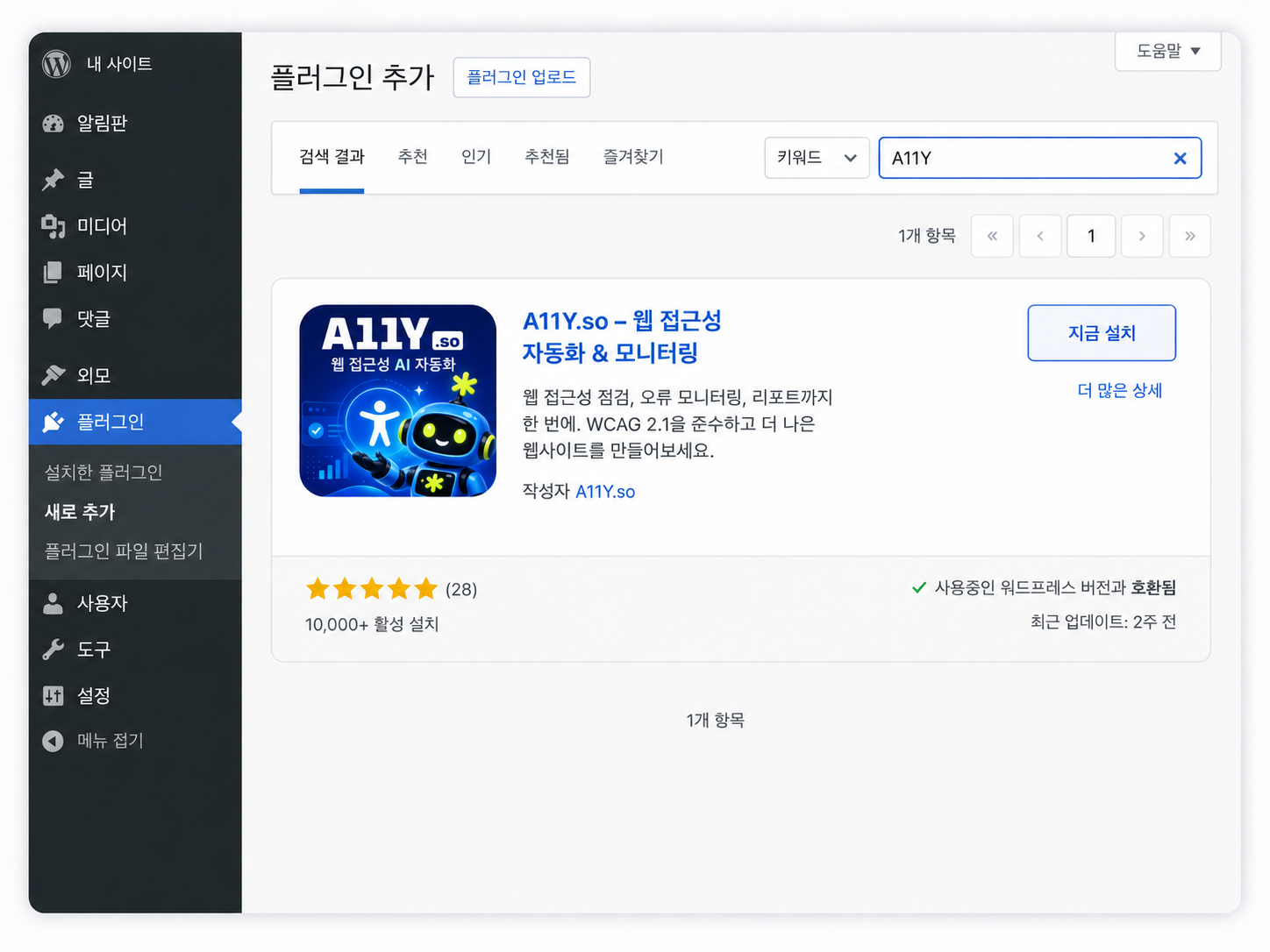
Install the A11Y plugin
Connect A11Y to your WordPress website.
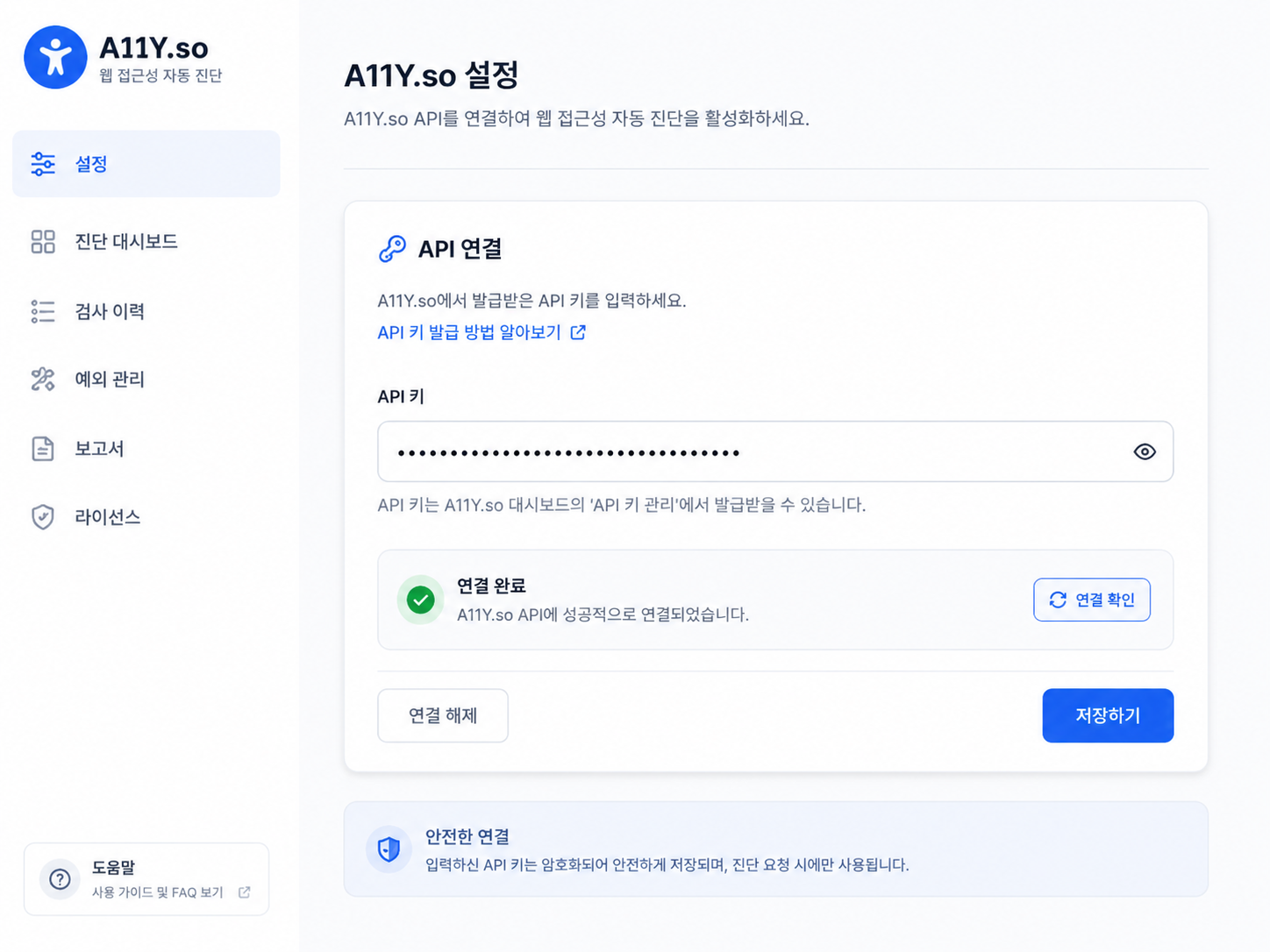
Connect your account
Add your A11Y API key in the plugin settings.
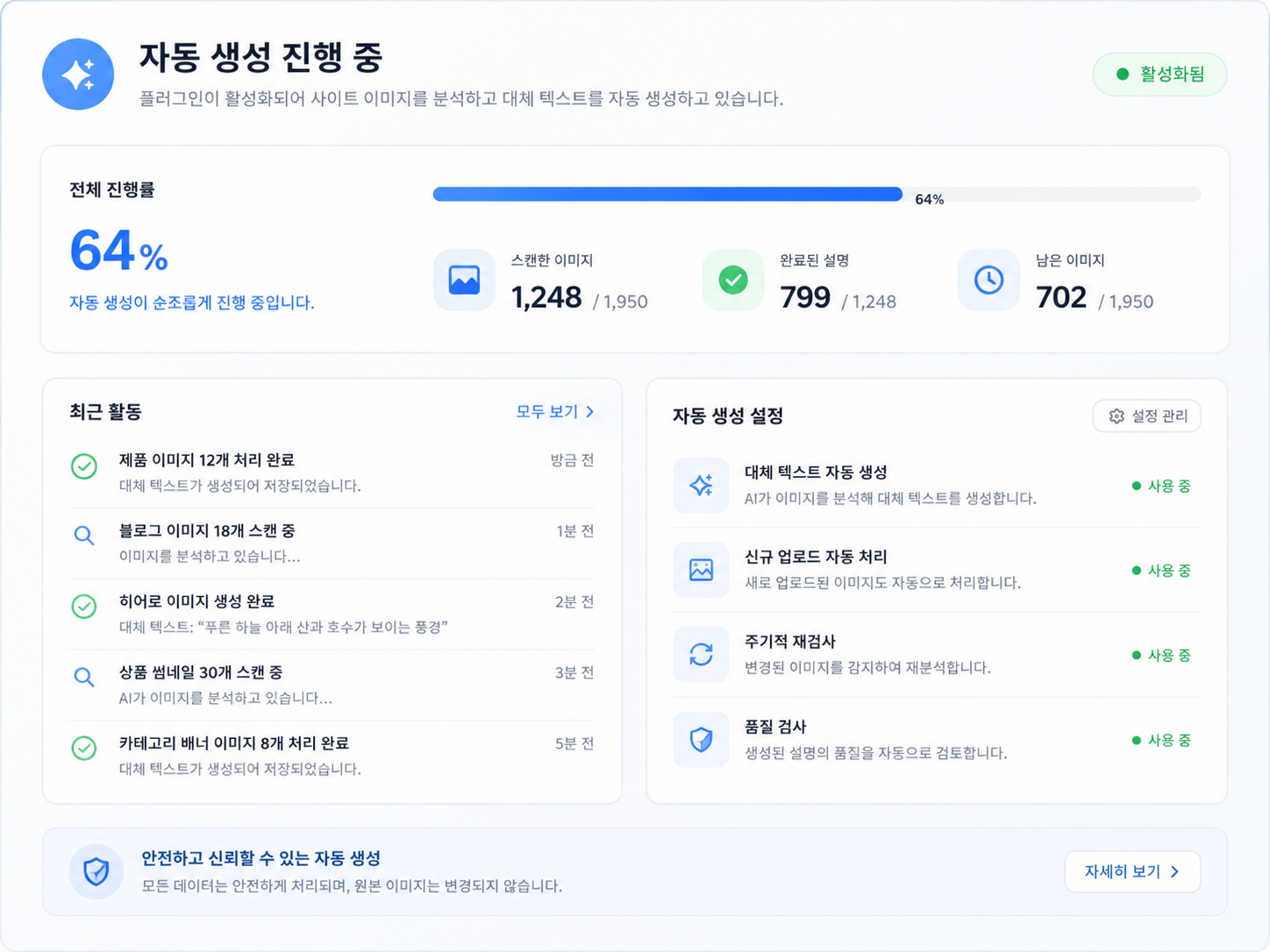
Generate and review
Generate image descriptions individually, in bulk, or automatically for future uploads.
Early Access Pricing
Simple pricing for every image library.
We're still finalizing our plans. Early users will help us shape the right pricing.
Free
50 images / month
- AI-generated alt text
- WordPress integration
- Review generated descriptions
Pro
2,000 images / month
- All Free features
- Bulk generation
- Automatic alt text for new uploads
- Generation history
Business
10,000 images / month
- All Pro features
- Higher image volume
- Multiple site support
- Priority support
Indicative early-access pricing. Plans and limits may change before launch. You won't be charged today.
Built on Accessibility Experience
Accessibility experience,
built into the product.
A11Y is developed by a team with over 20 years of experience delivering accessibility projects for public institutions and enterprises. We're applying that experience to a simpler way of managing image accessibility at scale.
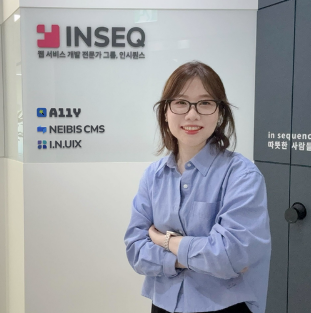
"Accessibility isn't about filling in a field. It's about making sure people can access the information the image was meant to communicate."
Early Access
Help shape A11Y for WordPress.
We're preparing A11Y for WordPress teams worldwide. Join the early access list and be among the first to try it.
No payment required. We'll contact you when early access becomes available. Privacy Policy.
Quick question — can we ask one more?
What's your main reason for wanting to use A11Y?
What's your role?
Thank you!
Stay tuned for our launch.
FAQ